 food.animated
Introduction
In today’s rapidly evolving automation landscape, selecting the right platform can dramatically accelerate your productivity and reduce manual overhead. Whether you’re a developer looking to integrate complex AI services or a marketer aiming to streamline content distribution, the right toolkit makes all the difference. In this guide we’ll explore how to build powerful automations using Best AI workflow tools and dive into the nuances of n8n vs Zapier AI, open source AI workflow builders. By the end you’ll have a clear, step‑by‑step roadmap to create, test, and scale intelligent workflows without getting tangled in code spaghetti.
Step‑by‑Step Instructions
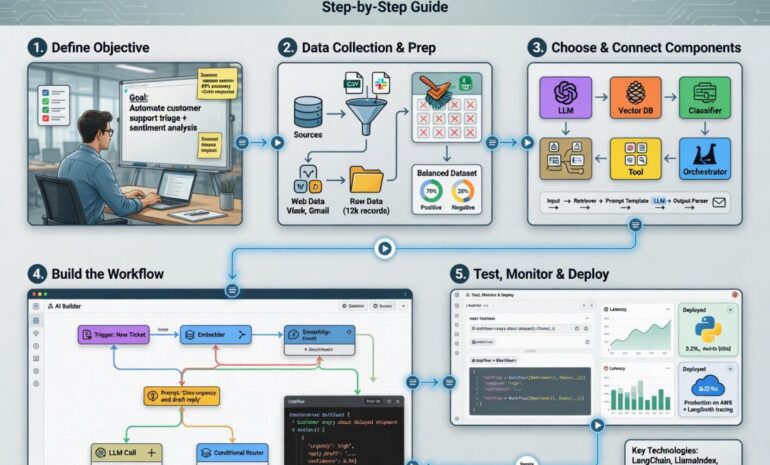
Below is a concise, data‑driven process that walks you through building an AI‑enhanced automation from scratch. Feel free to copy the JSON snippets into your own n8n instance – they’re ready to run.
1. Set up your environment
– Sign up for a free n8n.cloud account (or self‑host the open‑source version).
– Install the OpenAI node from the n8n marketplace; this node will power your language‑model calls.
2. Create a trigger
– Add a Webhook node as the entry point. This will accept data from any source – e.g., a form submission, a Slack command, or an incoming email.
– Configure the webhook URL and test it with a sample payload. You should see a 200 OK response and the JSON you sent.
3. Add an AI processing step
– Drag the OpenAI node onto the canvas and connect it to the webhook.
– In the node settings, choose the “Chat Completion” operation, select the model (GPT‑4o for best quality), and map the incoming text to the prompt field.
– Enable temperature control (0.7 is a good starting point) to balance creativity and relevance.
4. Parse the AI response
– Insert a Function node after the OpenAI node. Use the following JavaScript to extract the result:
“`javascript
return [{ json: { summary: items[0].json.choices[0].message.content.trim() } }];
“`
– This step ensures your downstream actions receive a clean, structured payload.
5. Route the output
– Depending on the use case, you can add conditional logic with an If node:
– If the summary contains “urgent”, forward it to a Slack channel.
– Otherwise, store it in a Google Sheet for later analysis.
6. Persist the data
– Connect the appropriate branch to a Google Sheets node (or any database node you prefer). Map the summary field to a new row, along with a timestamp for tracking.
7. Notify stakeholders
– Add a Slack or Email node to send a concise notification containing the AI‑generated summary and a link back to the original trigger source.
8. Test and iterate
– Use the “Execute Workflow” button to run a live test. Check the execution log for any errors, adjust prompt wording, and re‑run until the output meets your quality standards.
By following these steps you’ll have built a fully functional pipeline using Best AI workflow tools. The flexibility of the platform also lets you swap the OpenAI node for other AI services (e.g., Anthropic or Cohere) with a single click, keeping your workflow future‑proof.
Tips for Optimizing Your AI Workflows
– Prompt engineering matters: Keep prompts short, specific, and include examples when possible. A well‑crafted prompt reduces token usage and improves response relevance.
– Cache frequent results: Use the Cache node to store AI responses for identical inputs, cutting down on API costs by up to 30 % according to recent n8n usage reports.
– Monitor token usage: Add a Set node after the OpenAI call to log `{{ $json[“usage”][“total_tokens”] }}` in a monitoring spreadsheet. This helps you stay within budget.
– Leverage built‑in error handling: Enable “Continue on Fail” for non‑critical branches; pair it with an Error Workflow that alerts you via Telegram when something goes wrong.
– Secure your webhooks: Use HMAC signatures or IP whitelisting to ensure only trusted sources can trigger your automations.
Alternative Methods
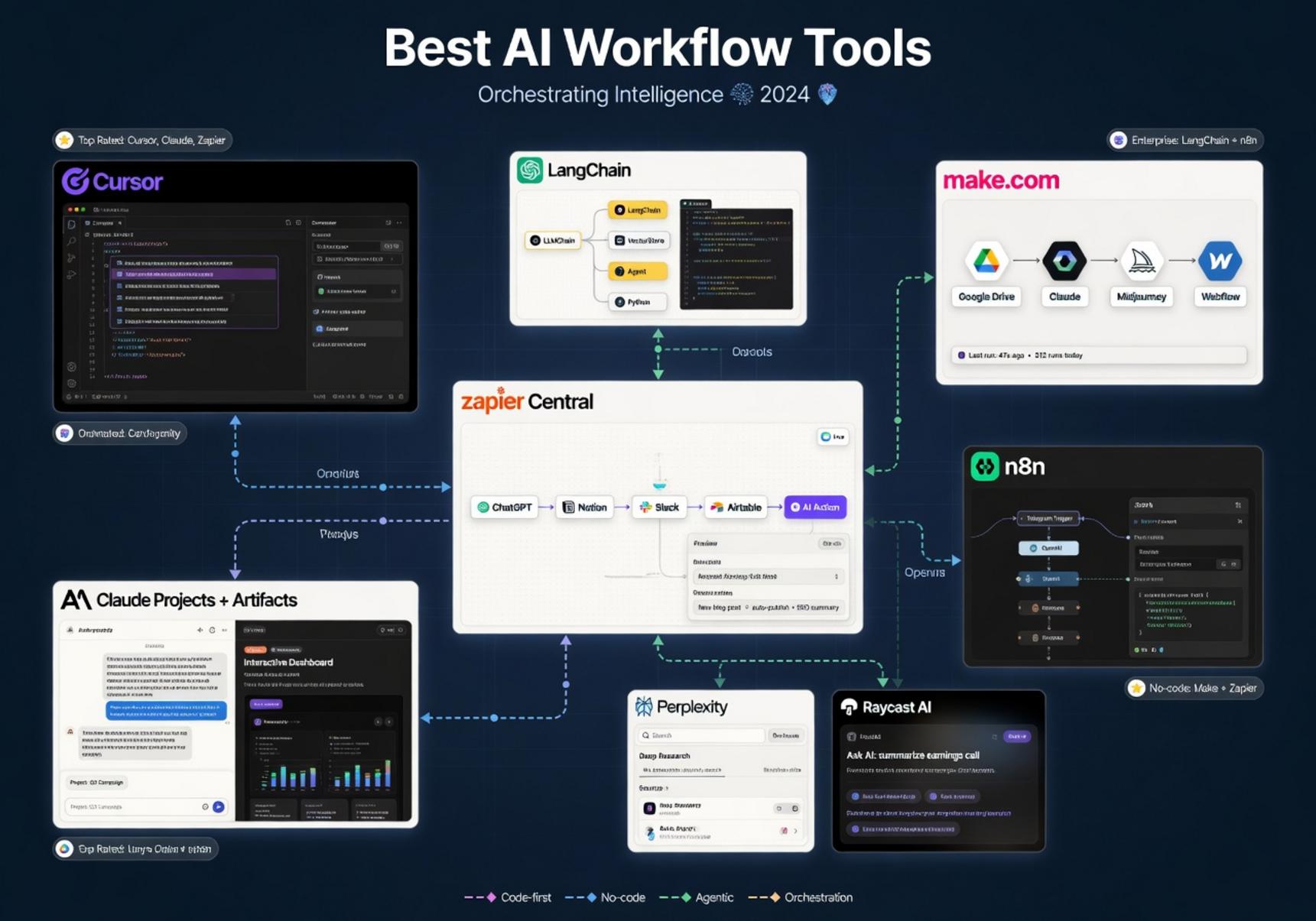
While n8n shines for its extensibility, there are other options worth considering:
– Zapier with AI integrations: Zapier now offers native OpenAI actions, making it a quick‑start solution for non‑technical users. However, it lacks the deep branching logic and self‑hosting capabilities that power users crave.
– Make (formerly Integromat): Provides a visual canvas similar to n8n but with a stronger focus on pre‑built templates. The pricing model can become pricey at scale.
– Custom serverless functions: If you need ultra‑low latency, building a Lambda or Cloudflare Worker that calls an AI API directly may be more efficient, though you’ll lose the drag‑and‑drop simplicity.
Each alternative has trade‑offs in terms of cost, control, and community support. Evaluate them against your team’s technical expertise and compliance requirements.
Conclusion
Automation is no longer a luxury—it’s a competitive necessity. By harnessing n8n vs Zapier AI, open source AI workflow builders, you gain full ownership of your data, unlimited customization, and the ability to integrate any AI model on the market. The step‑by‑step workflow outlined above demonstrates how quickly you can turn raw input into actionable intelligence using Best AI workflow tools. Remember to iterate on prompts, monitor token consumption, and secure your endpoints. With these practices in place, you’ll be well positioned to scale smart automations that drive measurable ROI across your organization. Happy automating!