 food.animated
Introduction
Welcome to the fast‑growing world of automation where even newcomers can start building powerful processes in minutes. If you’re curious about how to string together tasks, pull data from APIs, or trigger actions based on AI‑generated insights, you’ve landed in the right place. This guide walks you through the essentials of AI workflows for beginners, breaking down the concepts into bite‑size steps that anyone can follow. Along the way we’ll also explore real‑world artificial intelligence workflow examples, AI automation basics to illustrate how these ideas translate into measurable results for marketing, support, and data analysis. By the end of this post you’ll have a clear roadmap, a ready‑to‑use template, and the confidence to experiment with your own automation ideas.
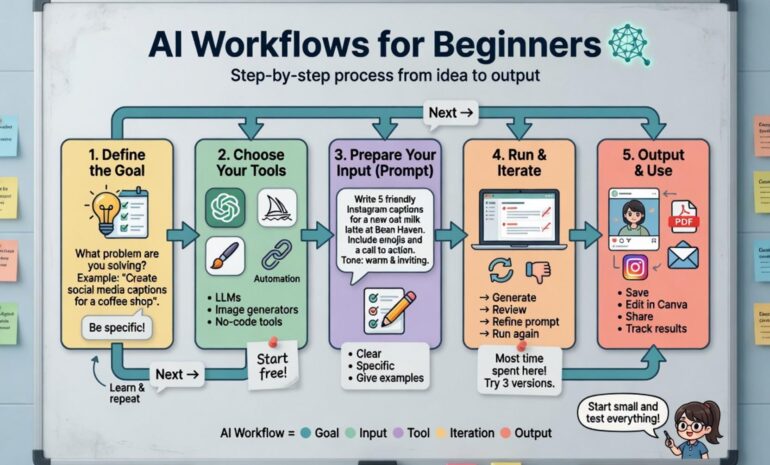
Step‑By‑Step Instructions
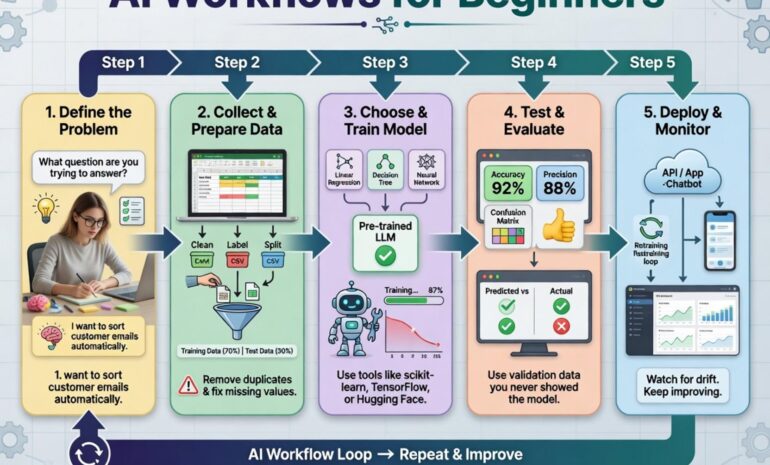
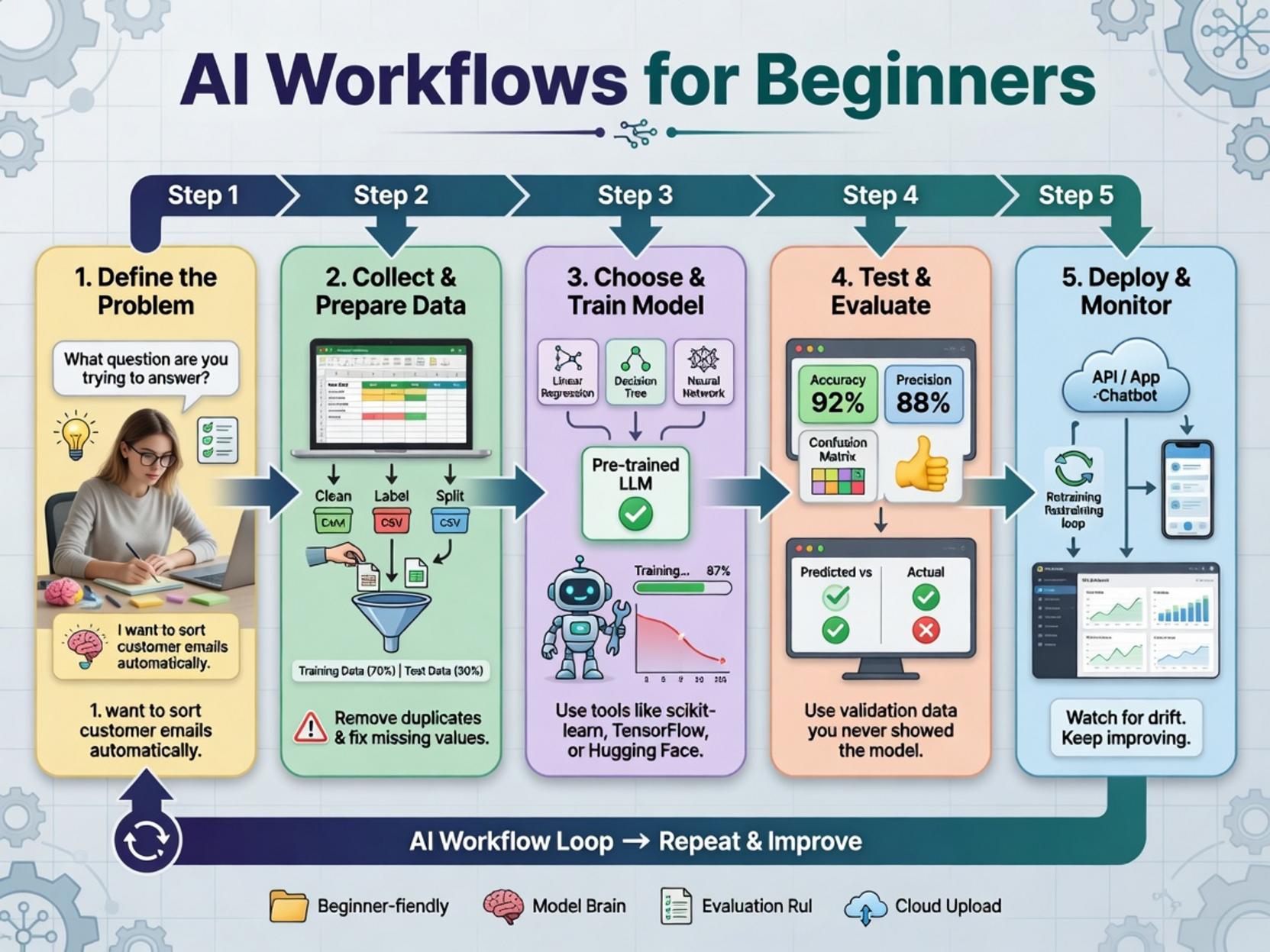
Below is a practical, no‑code walkthrough that you can replicate in any visual automation platform (like n8n, Zapier, or Make). The steps are deliberately ordered so you can see how each component builds on the previous one, turning a simple concept into a fully functional AI workflows for beginners pipeline.
1. Define the Goal – Start with a single business question, e.g., “How many new leads mentioned my brand on Twitter today?” This focus keeps the workflow lean and measurable.
2. Choose a Trigger – In most platforms, the trigger is a “Schedule” node (run every hour) or a “Webhook” that listens for incoming data. For our example, select a “Twitter Search” trigger that pulls recent tweets containing your brand keyword.
3. Add an AI Processor – Drag an “OpenAI Completion” node (or any LLM service) and configure it to summarize each tweet and tag sentiment (positive, neutral, negative). This is where the artificial intelligence workflow examples, AI automation basics come alive: the model interprets raw text and returns structured data you can act upon.
4. Filter & Enrich – Use a “Filter” node to keep only tweets with a positive sentiment score above a set threshold. Then add a “CRM Lookup” node to see if the author already exists in your contacts database.
5. Take Action – If the user is new, route the information to a “Create Lead” node in your CRM and fire an email notification to your sales team. If the contact already exists, update the lead score instead.
6. Log Results – Finally, append a row to a Google Sheet or a database table for reporting. This audit trail helps you later analyze the workflow’s impact and fine‑tune the AI prompts.
When you run the flow, each tweet travels through the same pipeline, emerging as a clean, actionable record. The entire process exemplifies a foundational AI workflows for beginners that can be expanded with extra steps such as multi‑language translation or sentiment trend graphs.
Tips for Optimization
- Prompt Engineering – Keep your LLM prompts concise and include explicit instructions (e.g., “Return JSON with fields: summary, sentiment”). This reduces token usage and improves consistency.
- Rate Limits – Check the API quotas of both your social platform and AI service. Batch processing (collect 10 tweets, then send them in a single request) often stays within limits while speeding up execution.
- Error Handling – Add “Retry” and “Error” nodes to catch failed API calls. Log the error details to a separate sheet so you can investigate without breaking the entire flow.
- Performance Monitoring – Use built‑in analytics or a third‑party monitoring tool to track runtime, success rates, and cost per run. Small adjustments (like trimming the number of tweets fetched) can dramatically lower expenses.
- Custom Code Nodes – Most platforms allow JavaScript or Python snippets. Use them for advanced data manipulation, such as calculating sentiment confidence intervals or merging data from multiple APIs.
- Hybrid Cloud Services – Combine serverless functions (AWS Lambda, Google Cloud Functions) with your visual workflow to offload heavy computations, like batch embeddings for similarity searches.
- Specialized AI Platforms – Tools like Hugging Face Inference API or Azure Cognitive Services provide pre‑trained models for image analysis, entity extraction, or speech‑to‑text, expanding the scope of what your automation can do.
Alternative Methods
While the no‑code approach is perfect for rapid prototyping, you may eventually need more flexibility:
Each alternative can be swapped into the skeleton we built above, preserving the overall logic while tailoring performance to your specific needs.
Conclusion
Embarking on automation doesn’t require a PhD in machine learning—just a clear objective, the right building blocks, and a willingness to iterate. By following the step‑by‑step outline, you now have a solid template for creating AI workflows for beginners that turn raw social signals into qualified leads. The artificial intelligence workflow examples, AI automation basics we showcased demonstrate how a handful of nodes can generate tangible business value while keeping technical debt low. Keep experimenting—swap out the data source, try a different model, or add a visualization dashboard—and watch your automation maturity grow. Remember, the most powerful workflows start simple, evolve through data‑driven insights, and always keep the end‑user experience at the forefront. Happy automating!