 food.animated
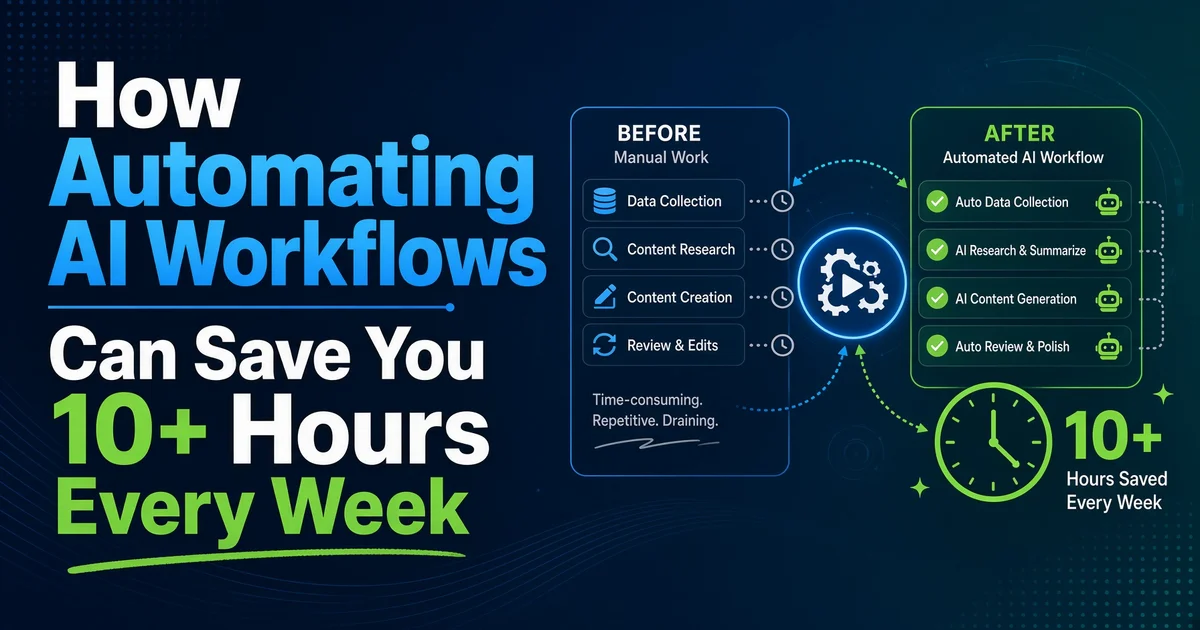
Are you still spending hours every week on repetitive tasks that an AI workflow could handle in minutes? In 2026, freelancers, solopreneurs, and small teams are reclaiming serious time by automating AI workflows. This guide shows you exactly how automating AI workflows can save you 10+ hours every week, with real examples you can start using today.
You will see clear numbers, practical use cases, step-by-step guidance, and a short FAQ at the end.
Why Automating AI Workflows Saves So Much Time
Most freelancers lose time in the same places:
- Sorting and replying to emails
- Creating content outlines and first drafts
- Updating project trackers and client notes
- Following up on unpaid invoices
- Researching topics or summarizing information
- Moving data between tools (Notion, Google Sheets, Slack, CRM)
An AI workflow connects these tools and adds artificial intelligence to handle the thinking parts. Instead of you doing every step, the system does most of the work automatically.
When done well, one solid workflow can easily save 2–4 hours per week. Stack three or four of them and you quickly reach 10+ hours saved.
Real Examples: How Freelancers Save 10+ Hours Weekly
Here are practical, real-world examples of AI workflows that deliver measurable time savings.
1. Email Triage + Smart Reply Workflow
Time saved: 3–5 hours per week
- New email arrives
- AI classifies it (client, lead, invoice, spam, urgent)
- AI drafts a reply based on your past style
- Important emails are flagged and moved to a “Needs Review” folder
- Routine emails get auto-replied or labeled
Result: You only handle the emails that truly need your attention.
2. Content Research + First Draft Workflow
Time saved: 4–6 hours per week
- You add a keyword or topic to a Google Sheet
- AI researches sources and summarizes key points
- AI creates a full outline + first draft
- Draft is saved to Google Docs or Notion
- You receive a Slack notification when it’s ready
Instead of spending half a day researching and writing, you only edit and improve.
3. Client Onboarding Workflow
Time saved: 2–3 hours per new client
- Client fills out a form
- AI extracts key details
- Project folder is created automatically
- Notion page or CRM entry is generated
- Personalized welcome email is sent
- You get notified with a clean summary
What used to take 45–90 minutes now happens in under 5 minutes of your time.
4. Invoice Follow-up Workflow
Time saved: 1–2 hours per week
- System checks unpaid invoices
- After 7 days, AI writes a polite reminder
- After 14 days, a stronger follow-up is sent
- Tracking sheet is updated automatically
No more manual chasing of payments.
5. Weekly Report + Summary Workflow
Time saved: 2–3 hours every week
- Data is pulled from your tools
- AI analyzes performance and writes a clear summary
- Report is formatted and sent to you (or your clients)
You stop spending Sunday evenings building reports.
These five workflows alone can easily deliver 10–15 hours saved every week for a busy freelancer.
How AI Workflows Actually Work (Simple Breakdown)
Most AI workflows follow this structure:
- Trigger – Something starts the process (new email, form submission, scheduled time, new row in a sheet)
- Collect data – The system gathers information from connected apps
- AI processing – Artificial intelligence analyzes, classifies, summarizes, or generates content
- Take action – Results are sent to the right place (email, Notion, Slack, CRM, etc.)
- Optional human check – You review important outputs before they go out
Tools like n8n make this visual. You connect nodes without writing code, and the workflow runs in the background 24/7.
Step-by-Step: How to Start Saving Hours This Week
Follow this simple plan:
- List your biggest time drains
Write down the 3 tasks that steal the most hours every week. - Choose one high-impact workflow
Start with email triage or content drafting — these usually give the fastest results. - Map the current process
Note every step you currently do manually. - Build the workflow
Use a tool like n8n. Connect your apps and add the AI step. - Test with real (but safe) data
Run it a few times and improve the AI prompts. - Add a human approval step if needed
Keep control while still saving time. - Measure the hours saved
Track for one week. Most people are surprised by how much time disappears from their calendar.
Common Questions People Ask
Is this only for technical people?
No. Modern tools are visual. If you can follow a process, you can build basic AI workflows.
Will AI make mistakes?
Sometimes. That is why good workflows include a review step for important outputs. Over time you refine the prompts and the quality improves.
How much time does it take to set up?
A simple useful workflow can be built in 1–3 hours. The time you invest is returned many times over.
Do I need expensive tools?
No. You can start with free or low-cost options and scale later.
Short FAQ
How many hours can I realistically save?
Most freelancers who implement 3–4 solid AI workflows report 8–15 hours saved per week.
What is the best first workflow to build?
Email triage or content research/drafting usually delivers the fastest and biggest return.
Can AI workflows replace me completely?
No. They remove repetitive work so you can focus on strategy, creativity, client relationships, and high-value tasks.
Is n8n good for beginners?
Yes. It is one of the most flexible and beginner-friendly tools for building AI workflows in 2026.
How do I know if a workflow is working well?
Track the time you used to spend on the task versus the time you spend now (including occasional reviews). Clear numbers will show the real impact.
Conclusion
Automating AI workflows is one of the highest-leverage moves a freelancer or solopreneur can make in 2026. The examples above are not theoretical — they are the exact types of systems that consistently free up 10+ hours every week.
Start small. Pick one painful task. Build one reliable workflow. Measure the time you get back. Then expand.
The people who treat AI workflows as a core part of their business operations will keep pulling ahead. The ones who keep doing everything manually will continue wondering where their week went.
You now have the real examples, the structure, and the starting plan. The only thing left is to build your first workflow and start reclaiming your time.